Vegas Queens ID Verification: What Documents You Need
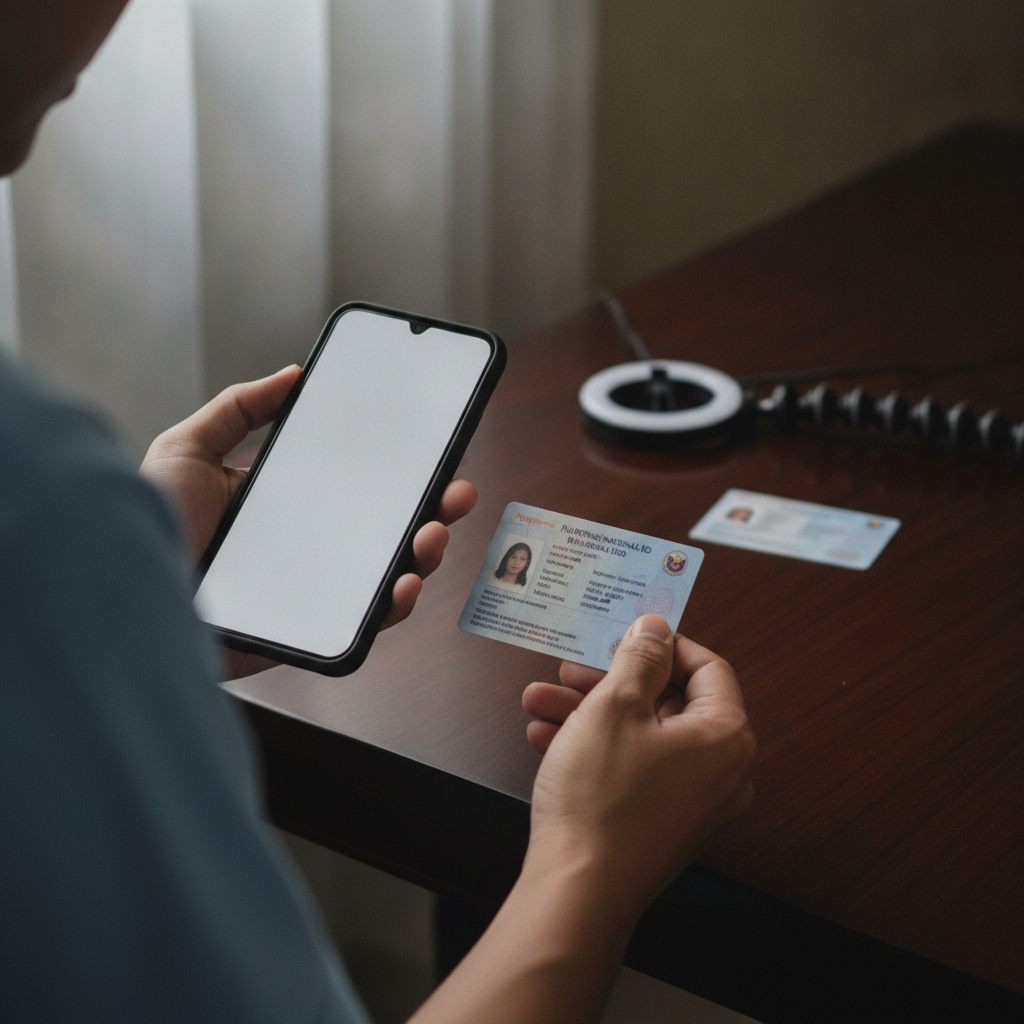
Why Vegas Queens Asks for ID Verification
Vegas Queens requires ID verification from all players before they can place bets or withdraw winnings. This step is mandatory for anyone who registers an account on the platform.
The main reason is age verification. Philippine law and responsible gambling standards require that only players aged 21 and over can access real-money casino games and sports betting. By checking your government-issued ID, Vegas Queens confirms that you meet the minimum age requirement before you can deposit or play.
ID verification also protects your account. When Vegas Queens links your identity to your account, it makes it harder for someone else to access your funds or place bets under your name. If you ever need to recover your account or contact support about a deposit or withdrawal issue, having verified ID on file speeds up the process.
This verification happens once. After Vegas Queens approves your documents, you won't need to upload them again unless the platform flags unusual account activity or you change key account details.
21+ only. Online gambling is restricted to adults. If you or someone you know shows signs of problem gambling, reach out to a support service.
Accepted Philippine IDs
Vegas Queens accepts government-issued identification cards that show your full name, date of birth, photo, and ID number. Most Filipino players use one of the following:
Philippine National ID (PhilSys ID): The national ID card issued by the Philippine Statistics Authority is the most straightforward option. It includes your full name, birth date, photo, and a unique PhilSys number. Because this is a primary government document, Vegas Queens typically approves it quickly.
Driver's License: A valid driver's license issued by the Land Transportation Office works for ID verification. Make sure the license has not expired—Vegas Queens will reject expired documents. The front of the license shows your photo, name, birth date, and license number, which is all the platform needs.
Philippine Passport: Your Philippine passport is another accepted document. The data page (the page with your photo and personal information) contains your full name, birth date, passport number, and photo. If your passport has expired, Vegas Queens may still accept it as long as the birth date is clearly visible, but it's safer to use a current one.
Unified Multi-Purpose ID (UMID): The UMID card issued by the Social Security System is a valid proof of identity. It shows your photo, full name, birth date, and UMID number.
Postal ID: A Postal ID from PHLPost is accepted, though it's less common. Ensure the card is current and shows your photo, name, and birth date.
Voter's ID or Other Government-Issued Cards: Some players submit a voter's ID or other locally issued cards. Vegas Queens generally accepts these as long as the card is government-issued, has a photo, and displays your birth date and full name.
What Vegas Queens does not accept: Barangay certificates, school IDs, company IDs, and other non-government documents are not valid for verification. The platform requires an official ID issued by a national government agency.
You only need to submit one valid ID. Choose the document that is easiest for you to photograph clearly.
How to Upload Clear Photos of Your ID from Your Phone
Most Filipino players use their Android phones to register and upload ID documents to Vegas Queens. Follow these steps to ensure your photos meet the platform's requirements.
1. Find good lighting: Take your photo in a well-lit room or near a window during the day. Avoid dim lighting or harsh shadows that hide details on your ID. Natural daylight works best.
2. Place your ID on a flat, dark surface: Lay your ID flat on a table or desk. A dark-colored surface (like a black or dark wood table) makes the edges of your ID stand out in the photo. Avoid busy backgrounds or patterned tablecloths.
3. Hold your phone steady and directly above the ID: Position your phone camera parallel to the ID card, about 20 to 30 centimeters above it. Holding the phone directly above—rather than at an angle—prevents the ID from looking distorted or skewed in the photo.
4. Make sure all four corners of the ID are visible: Frame the shot so that the entire ID card fits within the photo and all edges are clearly visible. Vegas Queens may reject cropped or partially visible IDs.
5. Check that text and numbers are sharp: Before you upload, zoom in on the photo to confirm that your name, birth date, ID number, and photo are sharp and readable. Blurry text is the most common reason for rejection. If the details look fuzzy, retake the photo.
6. Avoid glare and reflections: If your ID has a laminated surface, angle your phone slightly to avoid glare from overhead lights. A slight adjustment can prevent a bright reflection from covering your photo or birth date.
7. Do not edit or filter the photo: Upload the original photo from your camera roll. Do not apply filters, crop too tightly, or adjust brightness and contrast in a photo-editing app. Vegas Queens needs to see the ID exactly as it appears.
8. Save the photo in a common format: Most phone cameras save images as JPEG or PNG files, and Vegas Queens accepts both. Check that the file size is not too large—most platforms accept files up to 5 MB, which is more than enough for a clear phone photo.
If you need to submit the back of your ID: Some IDs, like driver's licenses, have important information on the back. If Vegas Queens requests both sides, repeat the same process for the back of the card.
Once you have a clear photo, log in to your Vegas Queens account on your phone or browser. Navigate to the account or profile section, find the ID verification or KYC (Know Your Customer) upload area, and select the photo from your gallery. Double-check the image preview before you submit.
How Long Verification Usually Takes and What to Expect Next
After you upload your ID, Vegas Queens reviews the document to confirm your identity and age. The verification process is usually quick, but timing can vary.
Typical processing time: Most players receive approval within 24 hours. During busy periods—such as weekends, holidays, or when a major PBA or NBA game drives a surge in new registrations—verification may take up to 48 hours.
What happens during the review: A member of the Vegas Queens verification team checks that your ID is valid, matches the name on your account, and confirms you are at least 21 years old. The team also looks for signs of tampering or editing. If everything is in order, your account status changes to "verified."
You will receive a notification: Vegas Queens typically sends an email or SMS message once your ID is approved. Some players also see a notification inside their account dashboard. Check your email inbox and spam folder if you do not hear back within 24 hours.
If your ID is rejected: Vegas Queens will notify you and explain the reason. Common issues include:
- Blurry or low-quality photos
- Expired ID cards
- Partial or cropped images that do not show the full ID
- Name mismatch between the ID and the account registration details
- Unacceptable document type (such as a company ID or barangay certificate)
If your ID is rejected, review the reason, retake the photo following the tips above, and resubmit. You can usually upload a new document immediately.
What you can do while waiting: In most cases, you can still deposit funds into your Vegas Queens account using GCash, Maya, or bank transfer via InstaPay or PESONet while your ID is under review. However, Vegas Queens may restrict your ability to place bets or request a withdrawal until verification is complete. Check the platform's current policy in your account dashboard or contact customer support if you have questions.
After verification is approved: Once your account is verified, you can fully access all features on Vegas Queens—slots, jackpot games, live dealer tables, sports betting on PBA, NBA, and volleyball, and bingo. You can also request withdrawals. Your verified status remains active as long as your account is in good standing.
Responsible gambling reminder: Gambling should be entertaining, not a way to make money. Set a budget before you play, and never deposit more than you can afford to lose. If you feel gambling is becoming a problem, take a break and seek help. 21+ only.
Quick Checklist for Vegas Queens ID Verification
- Choose one valid Philippine government-issued ID (National ID, driver's license, passport, UMID, or Postal ID)
- Take a clear, well-lit photo with your phone, making sure all corners and text are visible
- Upload the original photo without filters or heavy editing
- Wait up to 24–48 hours for Vegas Queens to review and approve your document
- Check your email or account dashboard for the verification result
- Resubmit a better photo if your first attempt is rejected
ID verification is a one-time step that confirms you are 21 or older and protects your Vegas Queens account. With a clear photo and a valid Philippine ID, most players complete the process in under two days and can start playing slots, live dealer games, or betting on PBA and NBA matches.